

Google's new Nano Banana 2 image model is here. It's as powerful as the Pro model at half the price, making it the perfect tool for batch image generation without compromising the quality.
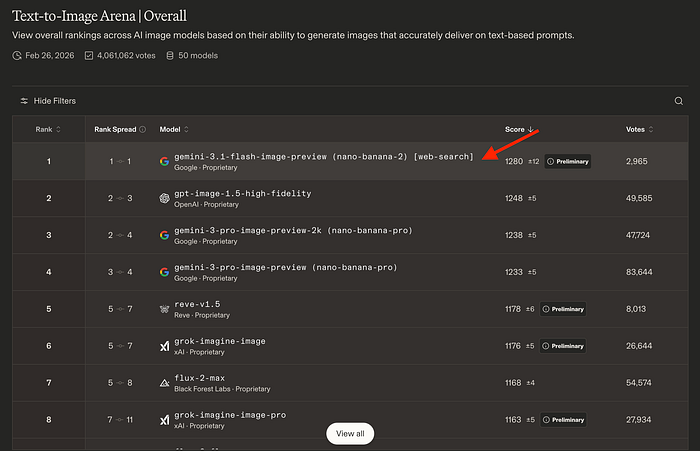
The model is now leading the text-to-image ranking on Arena AI.
Key technical highlights of Nano Banana 2:
- Base architecture is based on the Gemini 3.1 Flash image model
- Supports native 4K output, similar to the Pro model
- It can handle complex spatial instructions, like "a red car between two blue trucks," that the original model would have trouble with.
- Uses Google Search data to render current events, real-world subjects, and accurate facts in its output
- 50% cheaper than Nano Banana Pro
- Supports new aspect ratios like 1:4, 4:1, 1:8, and 8:1
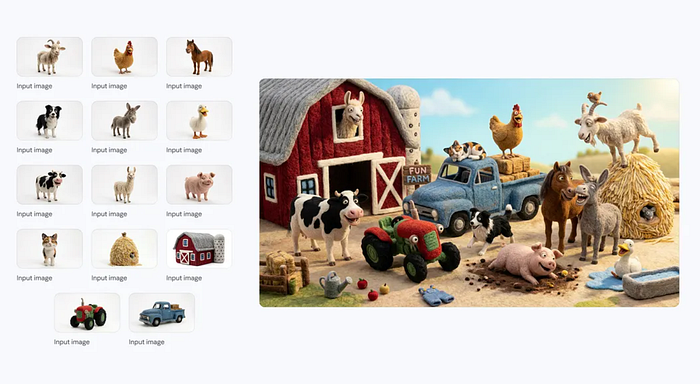
One noteworthy capability is the support for up to 14 image inputs. For example, you can upload a bunch of animal images and ask Nano Banana 2 to put all of them in a farm.
Prompt: Joyful characters and items at a farm
Another cool thing about Nano Banana 2 is its advanced world knowledge. The model pulls from Gemini's real-world knowledge base and is powered by real-time information and images from web search to more accurately render specific subjects.
For example, if you take a screenshot of a map and ask the AI to generate a panoramic interpretation of it, you'll get a result that's close to the real thing.
This deep understanding also helps you create infographics, turn notes into diagrams, and generate data visualizations.
Accessibility
Nano Banana 2 is accessible in various Google platforms like Gemini, AI Studio, Vertex AI, Google Flow, and even on Google Ads. If you want to test and explore the model, just try it on the Gemini web app. The "Create image" tool is already powered by Nano Banana 2.
For more image control, I recommend using the Google AI Studio. Open the Playground tab and select the Nano Banana 2 model. Take note that this is a paid model and requires an API key.
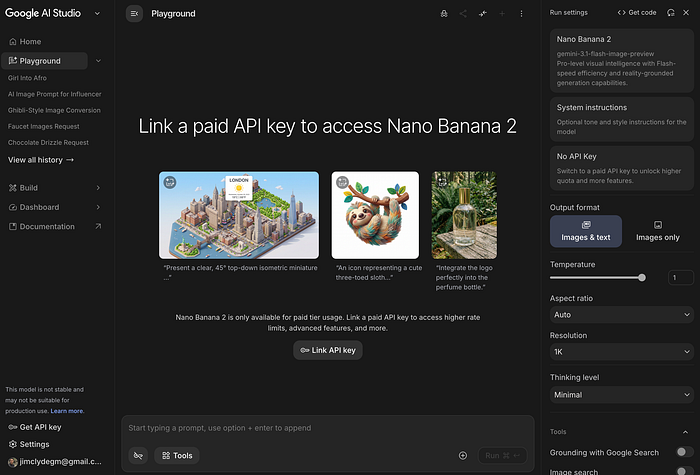
You can get an API key here.
If you want even more advanced control with agent support and model comparison, use the Vertex AI tool. Open the Vertex Studio and select the Gemini 3.1 Flash image preview model.
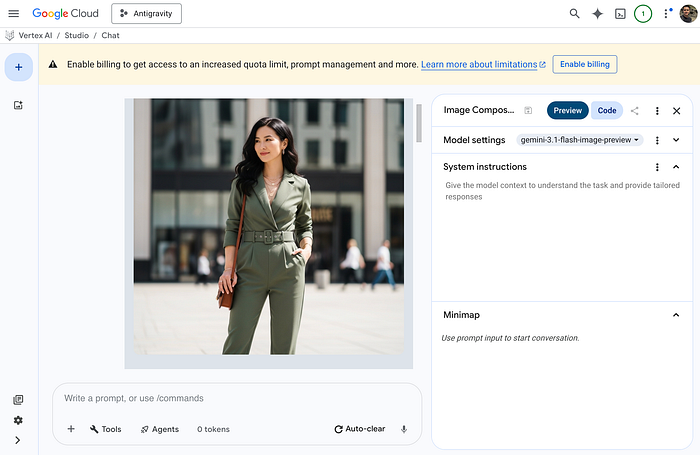
For developers, Nano Banana 2 is now available to access via API.
API access
The API endpoint uses the Gemini 3.1 Flash Image Preview model (gemini-3.1-flash-image-preview). There are two ways to use the API:
- Official API documentation: Get the sample API code blocks.
- Google AI Studio: Generate custom API codes.
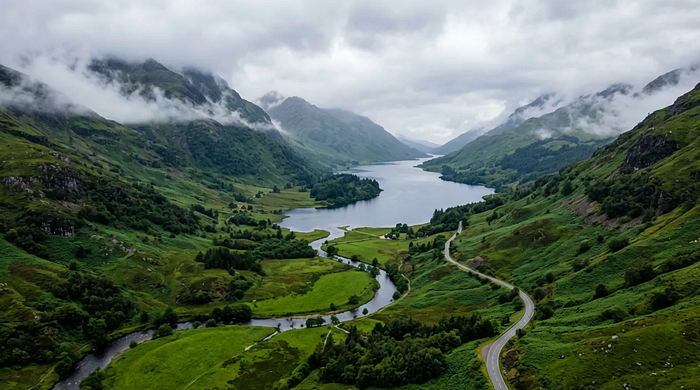
Here's an example text-to-image code block:
import { GoogleGenAI } from "@google/genai";
import * as fs from "node:fs";
async function main() {
const ai = new GoogleGenAI({});
  const prompt =
    "Misty panoramic aerial shot of a verdant valley";
  const response = await ai.models.generateContent({
    model: "gemini-3.1-flash-image-preview",
    contents: prompt,
  });
  for (const part of response.candidates[0].content.parts) {
    if (part.text) {
      console.log(part.text);
    } else if (part.inlineData) {
      const imageData = part.inlineData.data;
      const buffer = Buffer.from(imageData, "base64");
      fs.writeFileSync("gemini-native-image.png", buffer);
      console.log("Image saved as gemini-native-image.png");
    }
  }
}
main();
Here's the result:
The model also works with image editing. The following example demonstrates uploading base64 encoded images.
import { GoogleGenAI } from "@google/genai";
import * as fs from "node:fs";

async function main() {
  const ai = new GoogleGenAI({});
  const imagePath = "path/to/cat_image.png";
  const imageData = fs.readFileSync(imagePath);
  const base64Image = imageData.toString("base64");
  const prompt = [
    { text: "Create a picture of my cat eating a nano-banana in a" +
            "fancy restaurant under the Gemini constellation" },
    {
      inlineData: {
        mimeType: "image/png",
        data: base64Image,
      },
    },
  ];
  const response = await ai.models.generateContent({
    model: "gemini-3.1-flash-image-preview",
    contents: prompt,
  });
  for (const part of response.candidates[0].content.parts) {
    if (part.text) {
      console.log(part.text);
    } else if (part.inlineData) {
      const imageData = part.inlineData.data;
      const buffer = Buffer.from(imageData, "base64");
      fs.writeFileSync("gemini-native-image.png", buffer);
      console.log("Image saved as gemini-native-image.png");
    }
  }
}
main();
This example shows how capable the model is in rendering texts accurately. You can even translate these texts into other languages.
Learn more about the API access here.
Note: All generated images include a SynthID watermark. So it's easier for anyone to verify whether AI made it.
Nano Banana 2 API pricing
For Gemini users, here's a breakdown of the Nano Banana 2 limits in the Gemini app:
- Gemini free users: Up to 20 images per day
- Google AI Plus: Up to 50 images per day
- Google AI Pro: Up to 100 images per day
- Google AI Ultra: Up to 1000 images per day
If you want to access the model through the API, here are the pricing details:
Image outputs have a premium token rate set at $60.00 per million tokens. Because higher-resolution images consume more tokens, the equivalent cost per image scales with the size of the output you request.
Grounding with Google Search
If your workflow utilizes Grounding with Google Search, you are granted a generous allowance of 5,000 free prompts per month. Once that limit is reached, grounding costs $14 for every 1,000 search queries.
So which model should you choose?
Choosing between Nano Banana Pro and Nano Banana 2 Flash comes down to prioritizing either uncompromising quality or scalable efficiency. Nano Banana Pro is the ideal choice for projects demanding the highest visual fidelity and precise text accuracy.
It works really well in generating scenes with multiple subjects and premium assets like hero images, print advertisements, or detailed packaging designs, where budget constraints take a back seat to perfect output.
Conversely, Nano Banana 2 Flash is built for speed and volume. It is designed to be the primary model for developers and creators needing to generate hundreds or thousands of images rapidly.
It is perfectly suited for applications powered by APIs, real-time products for users, and large-scale content needs like e-commerce catalogs or quick prototyping, where maintaining a low cost per image is critical.

This story is published on Generative AI. Connect with us on LinkedIn and follow Zeniteq to stay in the loop with the latest AI stories.
Subscribe to our newsletter and YouTube channel to stay updated with the latest news and updates on generative AI. Let's shape the future of AI together!
