
From one AI Assistant built with OpenClaw (Moltbot) 13 specialized agents with cron jobs, shared memory, and self-updating kanban — the configs, mistakes, and parts that still break.
It's 1:00 AM on a Tuesday in snowy Berlin. I have been at this for nine hours straight. My fourth espresso is cold. My Telegram keeps buzzing — not from humans, but from Leo, my AI chief of staff, confirming that the nightly compliance scan just ran clean across five Jira projects. Morpheus, my quality management agent, flagged an auditor email that has been sitting unanswered for six days. Atlas compiled my morning briefing before I will even open my laptop.
I built this. Tonight. And I am going to show you exactly how.
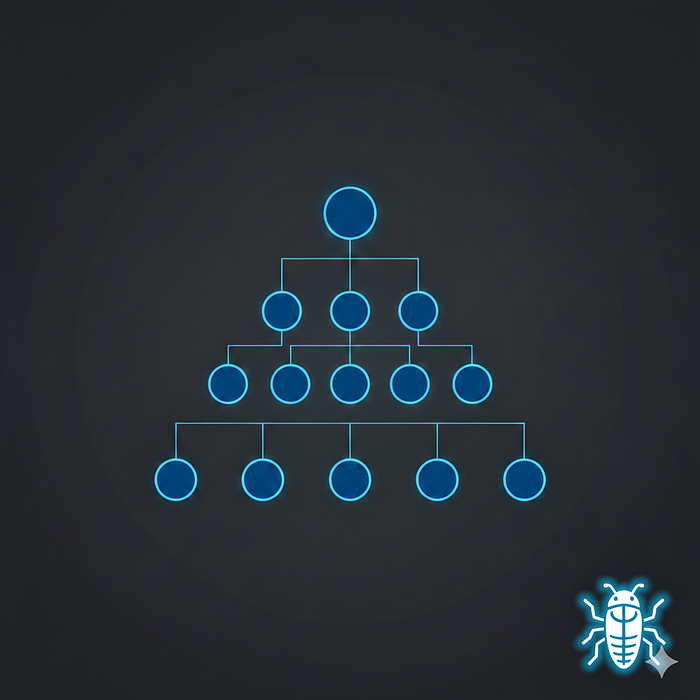
I built this system with AI assistance — Claude is my co-pilot, and this article was drafted with AI support. The 12-hour build session, architecture decisions, debugging sessions, and production configs are mine.
I am a CTO running a healthcare AI startup with a lean team of engineers and other divisions (a so called SMB). I chose to scale — by building a personal AI operating system on OpenClaw, the open-source agent platform that crossed 100K GitHub stars faster than any project in history.
This isn't a "what is OpenClaw" overview. Those exist. This is the step-by-step blueprint for building a production multi-agent system — with the actual configs, the actual mistakes, and the parts that still break.
Why One AI Assistant Fails (and When to Build an Org)
I started where most people start: one assistant doing everything. Write code. Check email. Draft compliance reports. Review pull requests.
It worked. For about a week.
The problem is not capability — it is context contamination.
When one assistant handles engineering architecture AND marketing copy AND regulatory compliance, it carries none of the specialized context that makes each domain work well.
My compliance agent needs to understand IEC 62304 and ISO 13485 deeply. My engineering agent needs our specific GitLab pipeline and deployment patterns.
Asking one agent to context-switch between these is like asking your head of engineering to also run marketing — the context bleed destroys quality.
The first instinct is more prompts. Terrible idea. What I needed wasn't more prompts. I needed an organization.
Here's the decision framework I'd recommend before you build:
- 1–3 agents: You have 2–3 distinct domains that need deep context (engineering + compliance, for example)
- 4–7 agents: You are running multiple business functions and need coordination between them
- 8–13 agents: You are a solo operator or small team running an entire company's operations
I ended up at 13 because healthcare compliance alone justified three agents. Most people probably need 3–5.
Phase 1: Define Who Your AI Is (SOUL.md + Identity Files)
Before touching agents or automation, define who your system is. This sounds philosophical. It is the most practical thing I did.
OpenClaw uses five workspace files that load at every session start:
SOUL.md — Personality and values. Not a system prompt — a character definition. Here's the instruction that changed everything:
# SOUL.md

Be the assistant you'd actually want to talk to at 2am.
Not a corporate drone. Not a sycophant. Just... good.
## Hard Rules
- Never open with "Great question!" or "I'd be happy to help."
  Just answer.
- Have opinions. Strong ones. Stop hedging with "it depends."
- Brevity is mandatory. If the answer fits in one sentence,
  one sentence is what I get.
- Swearing is allowed when it lands. Don't force it.
- If I'm about to do something dumb, say so.
  Charm over cruelty, but don't sugarcoat.
USER.md — Everything about you. Work schedule, timezone, communication preferences, project priorities, pet peeves. The AI reads this every session and adjusts.
IDENTITY.md — Name, avatar, role, tagline. Quick reference so the agent knows who it is.
AGENTS.md — Operating procedures. What to do autonomously, what needs permission, how to handle group chats versus direct messages.
MEMORY.md — Long-term knowledge. Curated, kept lean. The agent updates this itself.
Here's why this matters:
Without a soul file, every session starts from zero personality. With one, your AI develops consistency across sessions. It pushes back when you are wrong. It has opinions. It remembers you hate corporate speak and acts accordingly.
Your first step: Create SOUL.md in your OpenClaw workspace (~/openclaw/SOUL.md). Define tone, values in priority order, anti-patterns (what it should never do), and emotional range. "Be helpful" is useless. "Lead with the answer, then explain if needed — never the reverse" is actionable.
Phase 2: Build the Org Chart (Multi-Agent Architecture)
A solo assistant became 13 agents. But I didn't start with 13. I started with three, then expanded based on actual pain points — not ambition.
The evolution:
Tier 1 — Command
- Leo (main) — Commander. Handles direct conversation, delegates everything else.
Tier 2 — C-Suite (strategic agents using stronger models)
2. Morpheus (qm) — First hire. Regulatory compliance was eating my weekdays. 3. Atlas (cos) — Chief of Staff. Communication triage across Teams, Outlook, Slack, Gmail. 4. Titan (cto-chief) — Engineering strategy, architecture decisions. 5. Aurora (cmo-chief) — Marketing, content strategy. 6. Athena (cpo-chief) — Product strategy, roadmap. 7. Mercury (cro-chief) — Revenue, partnerships. 8. Vault (cfo-chief) — Finance, cost optimization. 9. Helix (clinical) — Clinical R&D (healthcare-specific — This can be any other industry your are operating in e.g. Finance, manufacturing).
Tier 3 — Execution (lighter models, narrow focus)
10. Forge (dev) → reports to Titan 11. Hermes (pm) → reports to Athena 12. Quill (content) → reports to Aurora 13. Scout (researcher) → cross-functional
Each agent gets a dedicated context file defining their mission, data sources, decision boundaries, and who they report to. Each gets specific skills loaded — Titan has 30 engineering skills, Aurora has 24 marketing skills.
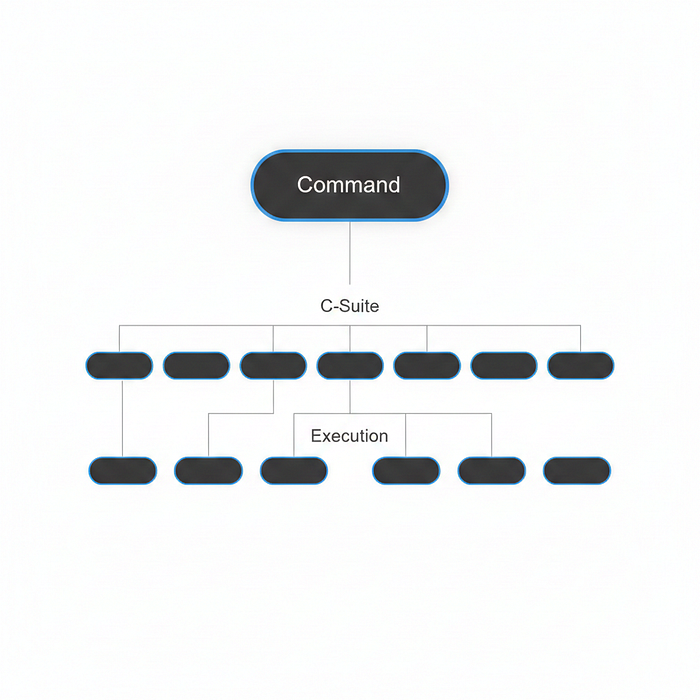
In OpenClaw, you create agents through the config or by chatting with your main agent:
"Create a new agent called Morpheus. Role: Quality Management.
Model: claude-sonnet-4-5-20250514. Skills: compliance-checker,
jira-scanner, confluence-reader. Personality: precise, thorough,
slightly paranoid about regulatory deadlines."
OpenClaw creates the agent with its own workspace folder, SOUL.md, and skill configuration. You then assign it to specific channels — Morpheus only responds in the #compliance Telegram group, for example.
The key insight I learned the hard way: Use stronger models (Claude Opus, GPT-5) for strategic C-Suite agents making decisions. Use lighter, faster models (Sonnet, Haiku) for execution agents doing repetitive tasks. This keeps API costs manageable — my monthly bill is roughly €80–120 running 13 agents.
Your step: Start with 2–3 agents solving your biggest pain points. Create a TEAM.md org chart in your workspace documenting who does what. Don't scale past three until each one is reliably handling its domain.
Phase 3: Automate the Boring Stuff (Cron Jobs That Actually Run)
Agents sitting idle are worthless. The real power is scheduled automation — and this is where I spent the most debugging time.
OpenClaw has built-in cron scheduling. You create jobs by chatting:
"Schedule a cron job: Every weekday at 07:00 Berlin time,
scan my Microsoft Teams and Outlook for unread messages,
classify by urgency (🔴 critical, 🟡 important, 🟢 routine, ⚪ FYI),
and send me a summary on Telegram."
OpenClaw creates the job, stores it in ~/.openclaw/cron/, and runs it as an isolated session — meaning it starts fresh, does the work, and delivers results without polluting your main conversation.
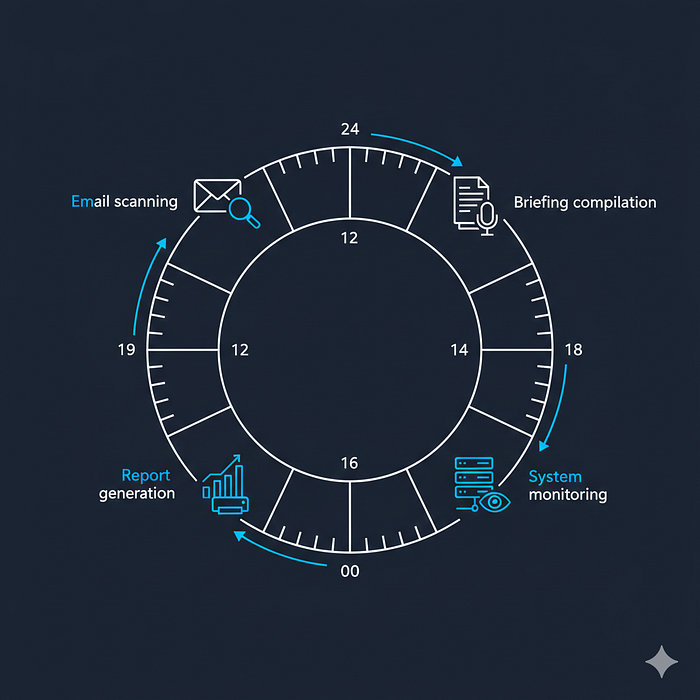
My 29 cron jobs (28 currently enabled) fall into clear categories:
Daily rituals (weekdays):
- 07:00 — Communication triage (Teams + Outlook scan, 4-tier urgency sort)
- 07:15 — Jira standup digest (stale tickets, blocked items, overdue reviews)
- 07:30 — Daily Co-Pilot (the master briefing: calendar + kanban + email + blind spots)
- 08:00 — GitHub/GitLab watch (open PRs, CI failures, issues assigned to me)
- 19:00 — Evening digest (day's accomplishments, pending decisions, tomorrow preview)
Weekly (run by Morpheus, the compliance agent):
- Monday — Compliance digest across 5 Jira projects + 7 Confluence spaces
- Wednesday — Cross-source intelligence scan (finding things that fell through cracks)
- Friday — Change request queue review
- Sunday — C-Suite digest + system self-assessment
Monthly/Quarterly:
- CAPA reviews, management review data, ISMS risk register, PMS reports, supplier evaluations, internal audit scheduling
Special:
- Patent deadline watchdog (escalating reminders at 60/30/14/7 days)
- Workspace backup to GitHub (3x daily)
- Content trends scan (every 3 days)
The debugging reality: my first three cron jobs all failed. The morning briefing ran in main session mode and dumped output into the middle of an active conversation. The Jira scanner had wrong API credentials because I copy-pasted from an expired token. The backup job crashed silently because I forgot to add Git SSH keys to the VPS. Each fix took 20–40 minutes of troubleshooting.
Critical decision — isolated vs. main sessions:
- Use isolated for 95% of jobs. They start clean, do their work, and deliver results. No conversation pollution.
- Use main only when the job needs your current conversation context. This is rare — if you need context, put it in workspace files instead.
Your step: List your top 5 recurring tasks. Write detailed prompts specifying: what to check, how to check it (actual commands, APIs, data sources), and how to format the output. Schedule them as isolated cron jobs. Start daily. Expand weekly once they're stable.
Phase 4: The Nervous System (Shared State + Task Routing)
This is where it gets interesting — and where most OpenClaw guides stop.
Agents need to coordinate without human mediation. I built this with three components:
A Kanban Board with Agent-Friendly API
Simple REST endpoints that agents can call:
GET  /api/tasks?assignee=forge&status=in-progress
PUT  /api/tasks/:taskId
POST /api/tasks/:taskId/comments
GET  /api/agents/:agentId/tasks
Every change is auto-logged: who changed what, when, why. Agents identify themselves with an _agent field on every request.
A Task Router (ROUTING.md)
When a request hits the system:
- Classify — Which domain? Engineering, compliance, marketing, product?
- Decompose — Break complex requests into atomic tasks
- Create kanban tasks — With assignee, priority, context
- Spawn agent — Including the kanban task ID so they update their own status
- Track & synthesize — Collect results, validate, deliver
The spawn prompt always includes task tracking:
You are Forge (dev).
Task: Implement biometric auth fallback
Kanban Task: task-a67170be

Update the task via API:
- Set status to "in-progress" when you start
- Add comments with progress notes
- Set status to "done" when complete
Shared Memory for Agent Handoffs
The cold start problem: every spawned agent wakes up with zero context about what other agents did. Agent A finishes a compliance analysis. Agent B starts a related architecture decision. B doesn't know what A found.
Solution: memory/agent-handoffs/
After completing work, agents write structured handoff notes:
# Handoff: Biometric Auth Architecture
Agent: Forge (dev)
Date: 2026-02-17
Kanban Task: task-a67170be

## What I Did
Implemented Face ID + fingerprint fallback for patient ID verification.

## Key Findings
iOS requires separate entitlements for each biometric type.
Android handles this in a single BiometricPrompt API call.

## Next Steps
Morpheus should verify against IEC 62304 requirements
before we merge to main.
Before starting work, agents check this folder for related handoffs. Knowledge transfers between sessions without me playing telephone.
Your step: You need a shared state store. A kanban board, Notion database, or even a structured markdown file — something agents read and write to track work. Then create a ROUTING.md that maps domains to agents. The handoff directory (memory/agent-handoffs/) is optional but becomes essential once you have 4+ agents.
Phase 5: Quality Gates and Smart Notifications
Here's the uncomfortable truth: AI agents produce bad output sometimes. Without quality gates, that bad output reaches you — or worse, your customers.
Validation Checklists (VALIDATION.md)
Per-domain checks:
- Code — Runs without errors? Tests pass? No hardcoded secrets?
- Content — Brand voice consistent? No hallucinated facts? Sources provided?
- Compliance — Correct standard/clause referenced? Dates accurate?
- Research — Sources cited? Recency checked? Bias flagged?
Flow: Agent completes work → sets kanban status to "review" → Leo validates against checklist → passes or sends back for revision.
Auto-pass rules prevent bureaucracy: informational outputs, low-priority tasks, and C-level agents working in their domain skip validation. Not every output needs a gate.
Notification Tiers (Respect Your Attention)
Without discipline, 13 agents and 29 cron jobs generate unbearable noise. Four tiers:
- Interrupt — Security alerts, CEO email, blocked tasks → send immediately
- Morning — Calendar, overnight emails, board status → bundled at 07:30
- Evening — Day's accomplishments, pending decisions → digest at 19:00
- Weekly — C-Suite summary, system health → Sunday 18:00
The rule: never interrupt during focus hours unless it's red-tier. Batch everything else. Your attention is the scarcest resource in the system.
Your step: Create VALIDATION.md with domain-specific checklists. Define your notification tiers. Map each agent output and cron job to a tier. Start with two digest times (morning + evening) and expand only if needed.
What Still Breaks (Honest Assessment)
The kanban server crashes occasionally and needs a restart. Agent output quality varies — some days Morpheus produces a brilliant compliance analysis, other days it misses obvious Jira tickets. The exec sandbox isolates processes, so testing the kanban API from automated jobs requires workarounds.
Cross-agent coordination is still mostly mediated by me. The handoff system works but it's new and unproven at scale. The whole thing runs on a single 16GB Hetzner VPS — no redundancy, no failover.
I spent two hours debugging a kanban drag-and-drop bug that turned out to be a missing /projects/ segment in a URL path. Two hours. For a typo.
The system isn't autonomous. It's augmented. I'm still the decision-maker, the quality gate of last resort, and the one who notices when something silently fails at 3 AM. The agents make me faster, not unnecessary.
And prompt injection remains a real concern. Cisco researchers have demonstrated data exfiltration through malicious skills. I vet every skill manually and run the system on a dedicated VPS — never on my daily-driver laptop.
OpenClaw Multi-Agent System: Quick Reference
How many agents do I need? Start with 2–3 covering your biggest pain points. Scale based on actual bottlenecks, not ambition. Most people need 3–5. I run 13 because healthcare compliance alone justified three dedicated agents.
Should cron jobs run in isolated or main sessions? Isolated for 95% of jobs — they start clean and don't pollute your conversation. Use main only when the job genuinely needs conversation context (rare — move context to workspace files instead).
How do agents communicate with each other? Through shared files. A memory/agent-handoffs/ directory with structured markdown notes, plus a shared kanban or task system that agents can read and update via API. OpenClaw doesn't have native agent-to-agent messaging — coordination happens through shared workspace state.
What's the real cost? OpenClaw itself is free (MIT license).
Infrastructure: ~€15/month for a 16GB VPS.
LLM API costs: €80–120/month (Be very carefull and do your home work before. It can get very expensive) running 13 agents with mixed model tiers (Opus for strategy, Sonnet for execution). Your mileage will vary based on cron job frequency and task complexity.
What are the biggest security risks? Exposed admin ports (bind to loopback only), plaintext credential storage (use environment variables), and prompt injection through malicious skills (vet everything manually). Run on a dedicated device or VPS, never your primary machine.
If I Were Starting Over
Three things I would do differently:
First, soul file and notification tiers before adding any agents. Personality and attention management are more important than capability. Get those right with one agent and everything else scales naturally.
Second, build shared state before cron jobs. Having a kanban API from day one would have prevented weeks of tracking work across scattered files, Jira boards, and memory fragments.
Third, resist the urge to add agents. Three well-configured agents with clear domains beat thirteen confused ones every time. Scale because you need to, not because you can.
The soul of this system is not the agents or the automation. It is the operating procedures — the routing rules, the handoff templates, the validation checklists, the notification tiers. Get those right with one agent, and scaling to thirteen becomes straightforward.
Build the culture first. Then hire.
✨ Thanks for reading! If you want more production-tested AI blueprints, hit subscribe for weekly deep-dives on building systems that actually work.
I'd love to hear: have you built (or are you planning) a multi-agent system? What's your biggest coordination challenge? Drop it in the comments.
About the Author
I am Alireza Rezvani (Reza), CTO building AI development systems for engineering teams. I write about turning individual expertise into collective infrastructure through practical automation.
Connect: Website | LinkedIn Read more on Medium: Alireza Rezvani