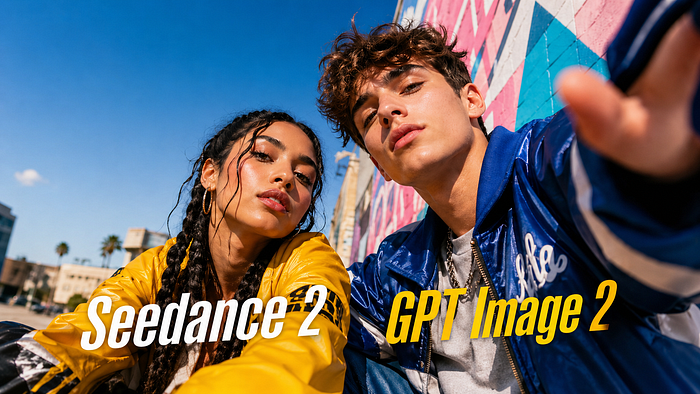


More brands are now adding AI into their campaign workflows. And you can't blame them.
The latest AI models are becoming good enough to produce marketing assets that look really good. It is becoming part of how businesses create content, test ideas, and move faster.
Seedance 2 and GPT Image 2 make that very clear. These two recently released models show how quickly AI-generated images and videos are becoming useful for marketers and business owners.
You can still hire designers, editors, and creative experts, but AI now gives teams a faster way to explore ideas before spending more time and money on full production.
In this guide, I am going to show you several ways on how you can combine the Seedance 2 and GPT Image 2 in several workflows.
- User Generated Content type of videos
- Product ad videos
- Brand specific videos
Before I get into the detailed steps, let's quickly discuss what's new with the two new models.
What's new in Seedance 2.0
Seedance 2.0 is by far the most capable video model for creators who want better control, cleaner motion, and more usable results from a single prompt.
- Better prompt following: It understands detailed scene instructions more accurately.
- Stronger character consistency: People, objects, and styles stay more stable across shots.
- Smoother motion: Movements look more natural and less random.
- Better camera control: It handles pans, zooms, tracking shots, and cinematic movement better.
- Improved image-to-video: Reference images can turn into more believable moving scenes.
- More realistic scenes: Lighting, physics, facial movement, and small details look cleaner.
The official public release of the video model took months since its announcement because it was so good it got a lot of privacy and IP concerns.
What's new in GPT Image 2
GPT Image 2 was a surprise for many because there wasn't much leak about it. OpenAI announced it out of nowhere and it was suprisingly great.
- Cleaner text inside images: Useful for posters, ads, thumbnails, and social graphics.
- Better prompt understanding: It follows complex layout, style, and composition requests more closely.
- More accurate image editing: You can change parts of an image without ruining the whole result.
- Stronger design awareness: Outputs feel more useful for branding, marketing, and campaigns.
- Better multilingual support: It handles non-English text more reliably inside images.
GPT Image 2 is a huge update for creators, marketers, designers, and brands that need images they can actually use in content, ads, mockups, and campaigns.
Alright, let's get into the samples.
1. Creating UGC videos
UGCs are great for authenticity and customer feedback. This is a great way to show how a product works on customers and how they feel about it.
To create a UGC video with your product, head over to Pollo AI and create an account. Once you're in, open the image generator tool and drop the image of your product.

Then, in the prompt section, use this prompt to create the portrait image:
Prompt: Create a realistic UGC-style image of a woman in her 20s holding a sunscreen product and speaking to the camera. She is sitting in a bright room with natural light, holding the product close enough to be clearly seen. Make it look like a casual TikTok or Instagram Reel frame, as if she is explaining her real thoughts about the product to her followers. Keep the scene natural, friendly, and not too staged.
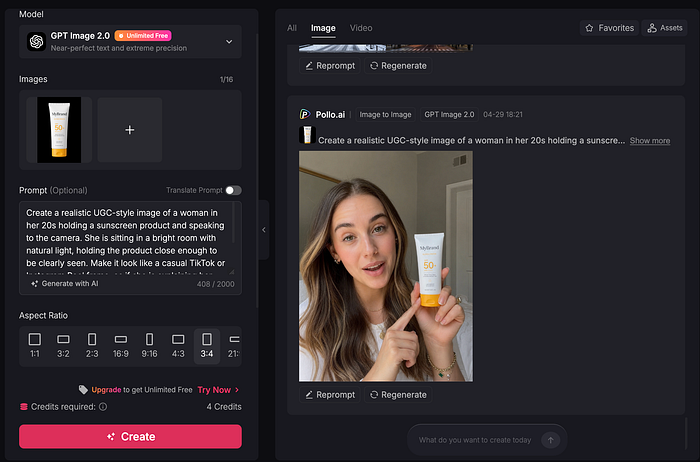
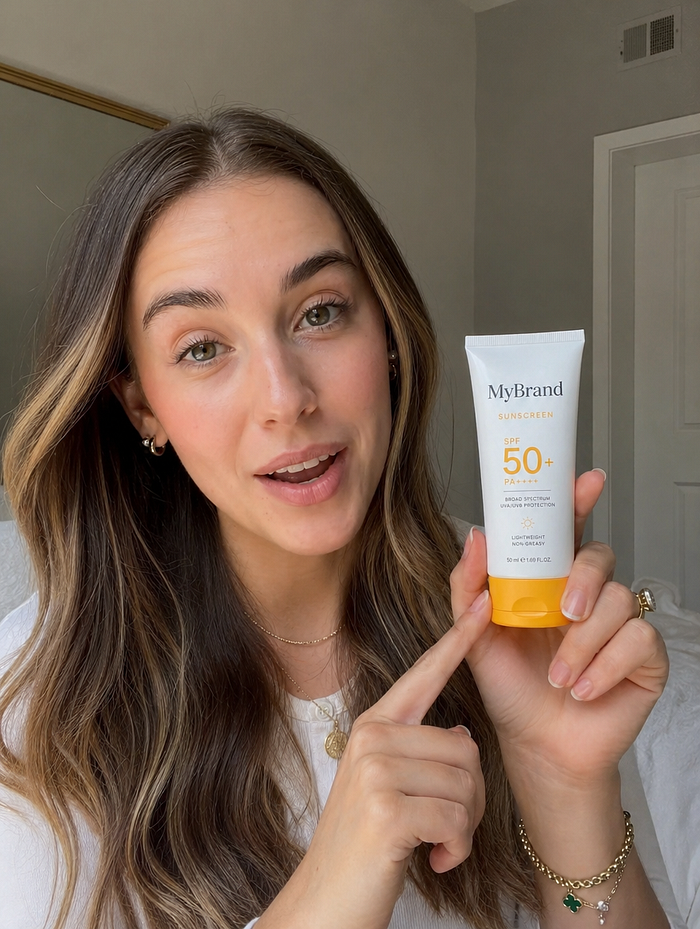
Okay, notice how good GPT Image 2 is here. With older models, you would have to write longer prompts to get a good quality image. You had to describe the look, lighting, background, angle, pose, and many small details.
With this new model, it already understands what the right image should be. So, you don't need to overthink the prompt.
Now, download the image to your local disk and open the AI video generator tool.
Make sure to select Seedance 2.0 in the model list.
You can also customize several output parameters like the aspect ratio, duration, resolution, and more.
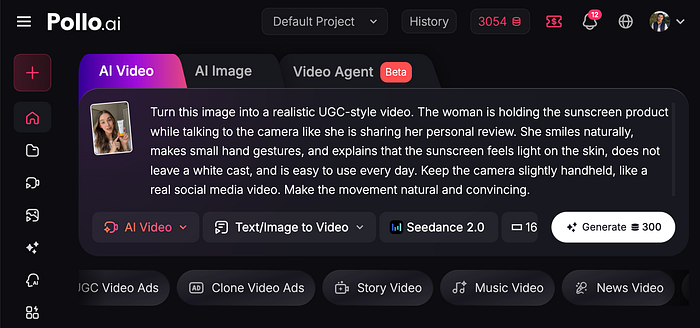
In the prompt field, simply describe how the final video should look. Here's an example:
Prompt: Turn this image into a realistic UGC-style video. The woman is holding the sunscreen product while talking to the camera like she is sharing her personal review. She smiles naturally, makes small hand gestures, and explains that the sunscreen feels light on the skin, does not leave a white cast, and is easy to use every day. Keep the camera slightly handheld, like a real social media video. Make the movement natural and convincing.
Click on the generate button and wait for the final video to be rendered. Here's what the result looks like:
Awesome. I love how Seedance 2 adds a simple promotional script, how realistic the video looks, and how convincing her gestures are. A video like this with an actual human influencer would probably take days to complete and cost hundreds of dollars.
2. Creating product ad videos
Another effective way to promote your product is to create a cool looking short video of it.
Suppose you are selling garments for tennis. You can use this prompt:
Prompt: Avant-garde sports fashion advertisement, oversized tennis racket positioned like monumental sculpture, female athlete seated casually on the strings as if a suspended lounge, giant word "FOCUS" in bold typography behind, crisp white studio backdrop, reflective court-like floor, luxury sportswear editorial aesthetic, cinematic lighting, ultra-clean composition
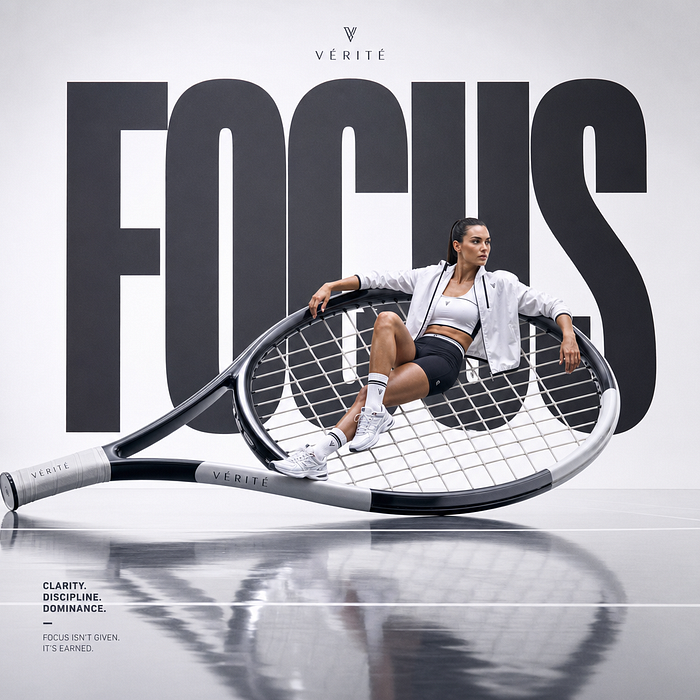
Perfect. You can do this multiple times until you get the right composition.
Next, go to the video generator, set the video model to Seedance 2.0, and use the prompt below to animate the previously generated image:
Prompt: Animate this image into a stylish tennis fashion ad. Keep the movement subtle. Slowly push the camera toward the model while the word "FOCUS" slightly moves into place behind her. Add gentle light movement on the reflective floor, subtle motion on the clothing, and a clean premium ad feel. Keep the model mostly still, with small natural movements.
Just look at how creative and attractive the video is. This kind of transition and effect usually requires some level of expertise in video editing tools like After Effects.
Now, you can create something similar from one image and a simple prompt.
3. Creating brand-specific videos
In this final example, I will show you how you can animate your own logo with GPT Image 2 and Seedance 2.0.
The first thing you need to do is create an animation sheet.
In the image generator page, upload your logo and use the prompt below:
Prompt: Create an animation sheet for a slick logo animation for a company called Pollo AI. Use the uploaded logo as the main reference. The logo is minimalist and glassmorphic. The sheet should clearly show a storyboard with animation lines, motion arrows, frame-by-frame movement, glow effects, and transition notes for a slick logo animation. This can be complex, but keep the layout clean and easy to understand.

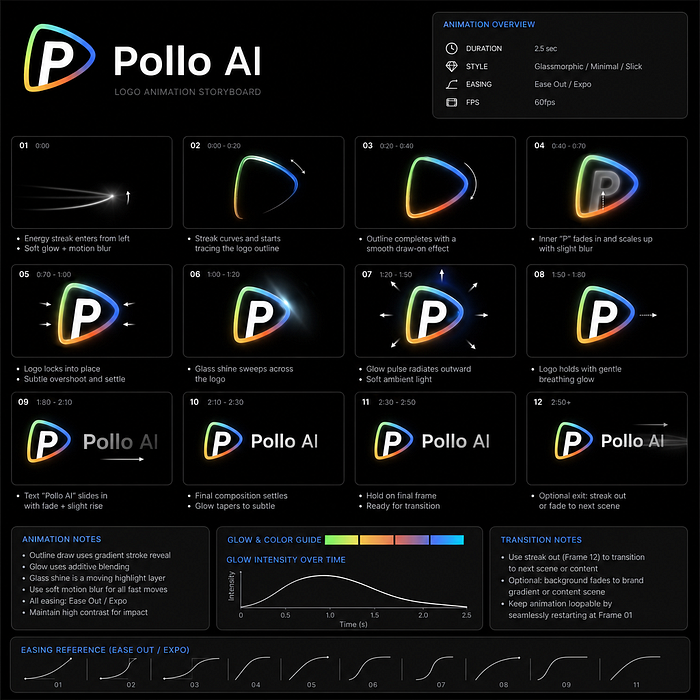
Now, in the video generator page, upload the animation sheet and use the prompt below to create the video.
Prompt: Create the logo animation as described in image 1 for the Pollo AI brand logo. Follow the reference exactly. Use the animation lines, motion arrows, storyboard frames, glow effects, and transition direction from the image. Make it look clean, elegant, and suitable as an outro for social media videos.
This is super cool. It works with any logo, so go ahead and try it yourself. I love how clean and elegant the video looks. Pollo AI could use this as an outro for their social media videos.
Final Thoughts
These are only three examples, but there are so many ways marketers and business owners can use GPT Image 2 and Seedance 2.0 together.
You can create UGC-style ads, product videos, brand assets, campaign concepts, logo animations, social clips, product demos, and visual experiments in minutes.
The best part is that you do not need to commit to one idea right away. You can generate, test, revise, and compare different creative directions much faster than before. Thanks to platforms like Pollo AI, these models are now super easy to access and use.
This is where AI becomes really useful for marketing. It does not just help you make content faster. It helps you explore more ideas before spending serious time and money on production.
Let me know what other ways you use GPT Image 2 and Seedance 2 together.

This story is published on Generative AI. Connect with us on LinkedIn and follow Zeniteq to stay in the loop with the latest AI stories.
Subscribe to our newsletter and YouTube channel to stay updated with the latest news and updates on generative AI. Let's shape the future of AI together!
